Today we're launching a completely rebuilt Reports experience. It's not a tweak or a patch. It's a ground-up overhaul of how reports work in Cinapse, designed to give AD departments real control over what their reports look like before they're ever generated.
That includes a critical new feature: Report Presets. Configure your settings once, save them as a preset, and reuse that configuration every time you create a report. No more rebuilding from scratch. Set it up once, use it again and again. And when you're ready to generate — you can select multiple presets and batch-generate every report you need in one shot.
This is the feature we're most excited about, because it changes how much time you spend on reports at the start of every episode or block.
Here's the old workflow: open a new report, configure your settings, generate it, go back, open another new report, configure it differently, generate it, repeat. For a typical episode you might do that dozens and dozens of times across various shooting schedules, one-liners, day-out-of-days, each with their own formatting preferences. Or if you made a mistake, that’s yet another 1-2 minutes spent. That's hours of repetitive configuration before you've produced a single page of useful output.
💫 Here's the new workflow: save your configurations as presets once — "Master Shooting Schedule - Letter," "Master One-Liner - Letter," "Master DooDs - Letter." Then click Create > New reports from presets, select every preset you need, pick your board and destination folder, name them, and hit Generate reports. All of them. At once.
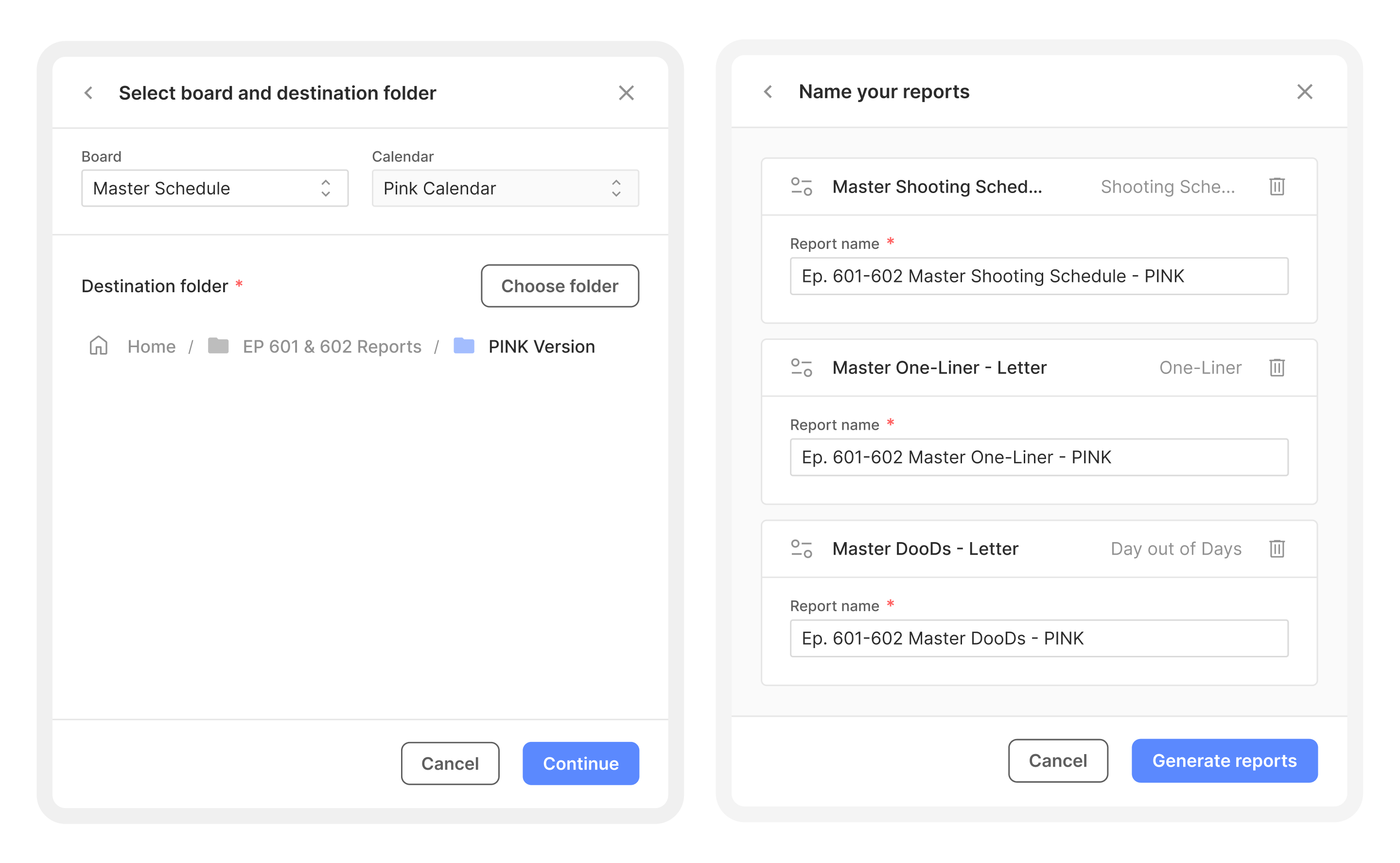
Three reports generated in the time it used to take to configure one. And because the presets live in organized folders, your whole team can share and reuse them. Set up your presets at the start of a show, and every report after that is a few clicks.
The old reports infrastructure did its job, but filtering was basic and the way we previewed data didn't always match the visual representation and aesthetic we want from our PDF reports as filmmakers.
The new Reports changes that. Here's what's brand new and improved:
Custom paper sizes. Choose between Letter, A4, Legal, and Tabloid. If your production office prints on Legal and your studio wants A4, you're covered either way, without workarounds.
Font and text size controls. You can now select your font and dial in text size. This matters more than it sounds a document that's legible at arm's length on a monitor is very different from one that's legible in your hand on a dark set on an iPhone. You can now optimize for where and how your reports actually get read.
Layered filtering. The old filter was a single pass. The new one lets you stack filters by department, by shooting day, by scene, by unit, or any combination of these, and more.
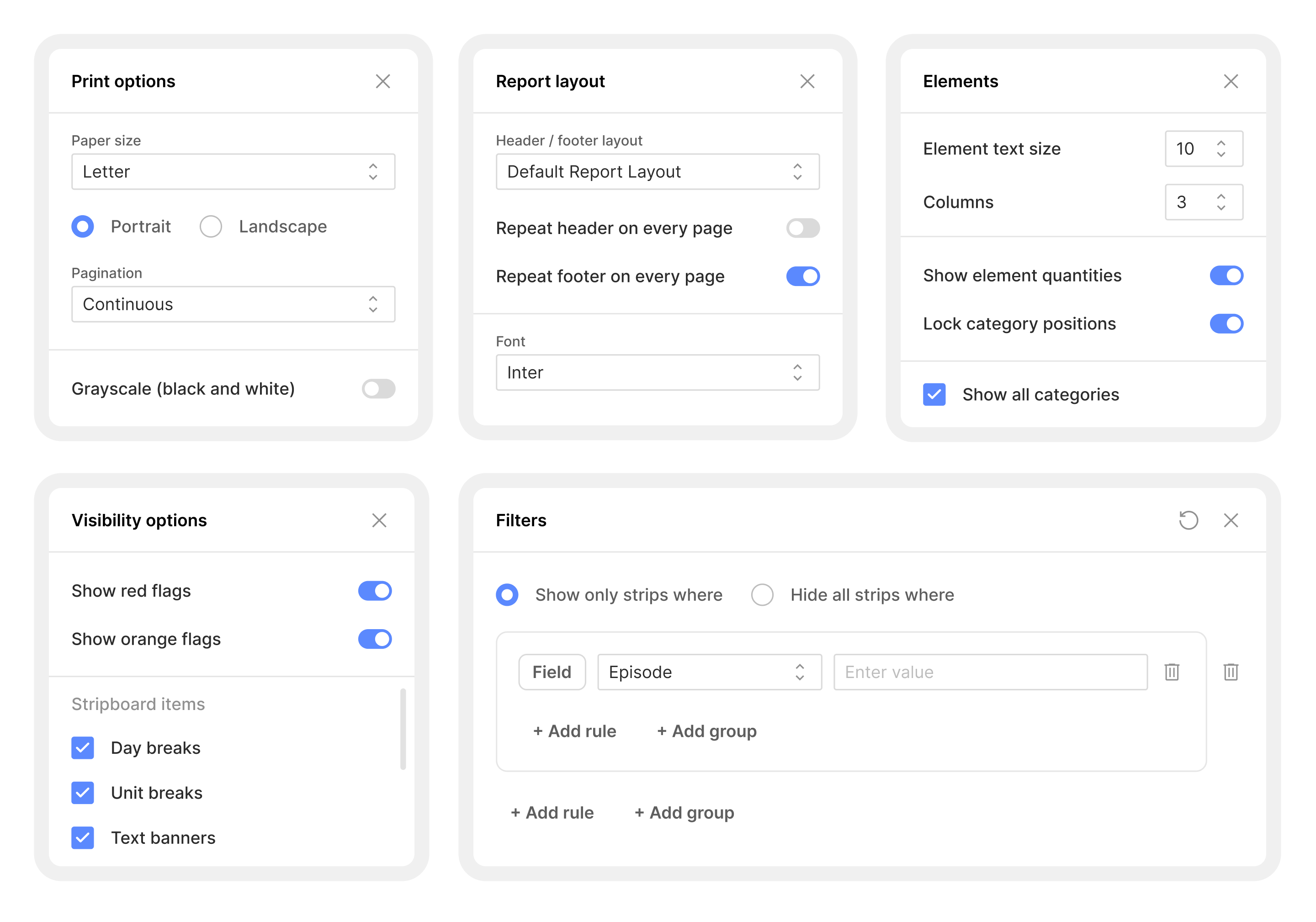
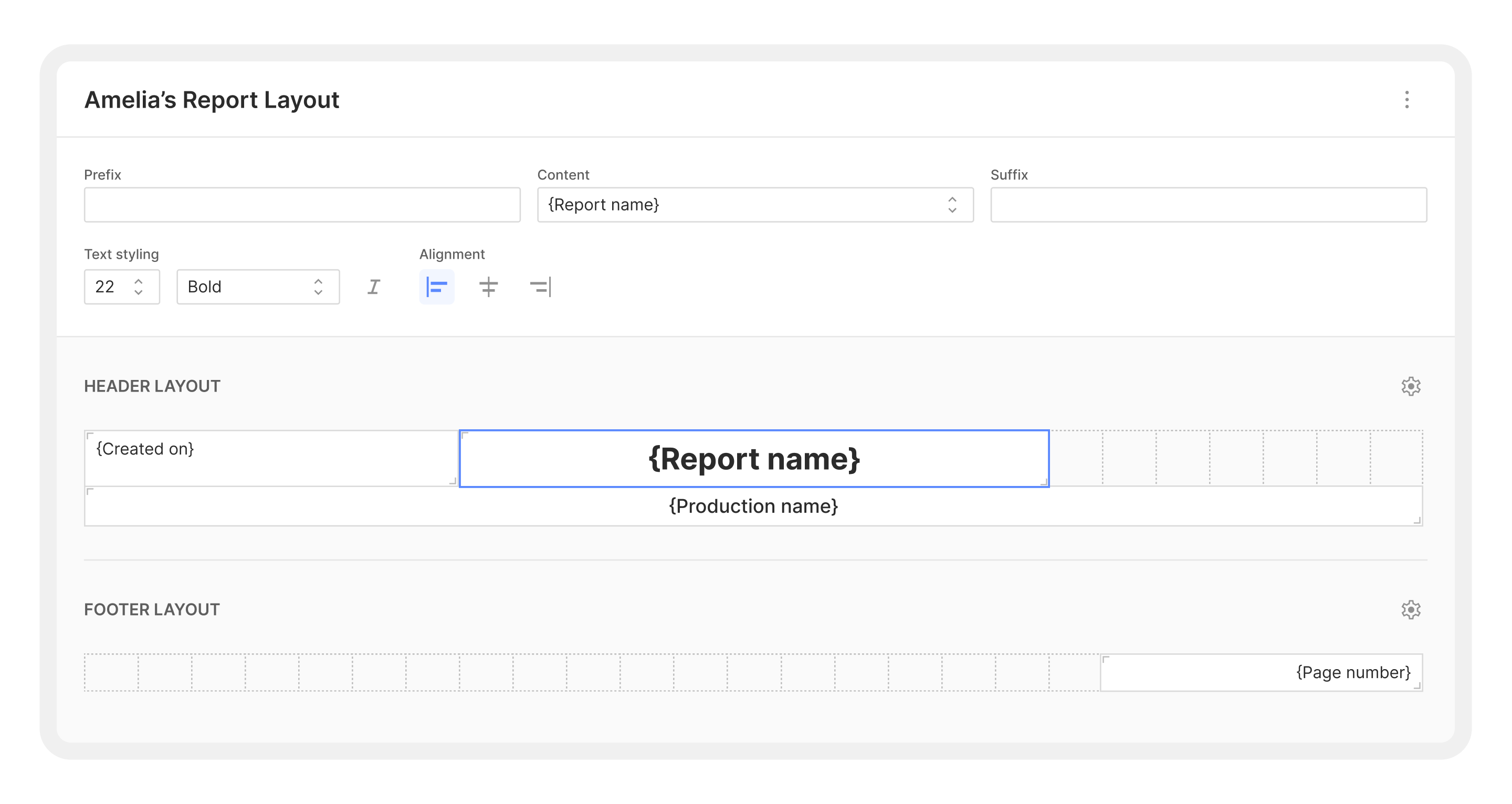
Report layouts with custom headers and footers. Different report types have different needs, so now you can configure distinct headers and footers for each one. One layout for your one-liner, another for the day-out-of-days, another for the calendar. Each report type gets the framing it deserves.
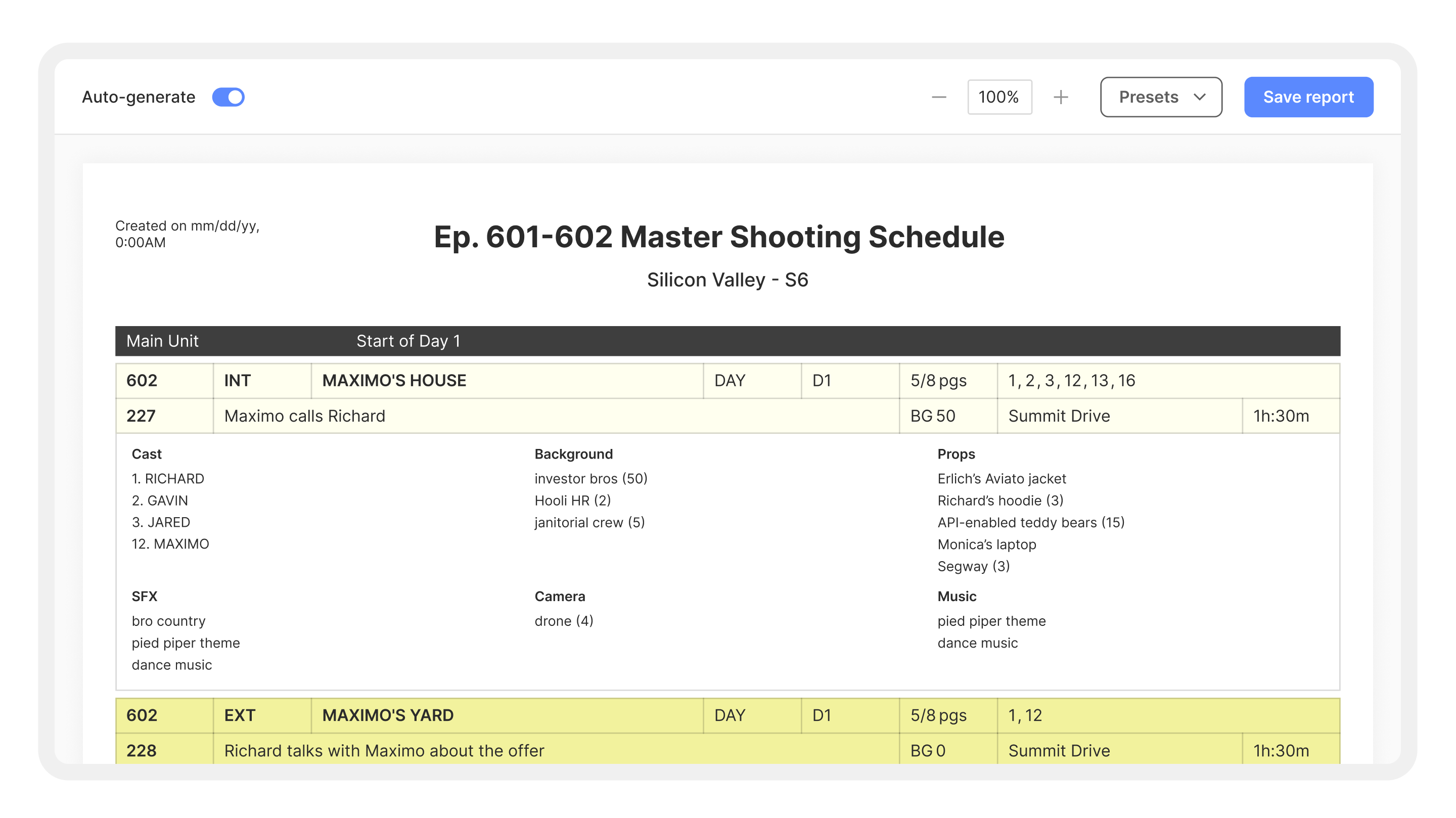
High-fidelity preview. This is probably the most-requested change. Before you generate, you now see a true preview of what the final report will look like: layout, fonts, margins, everything. What you see is what you get. No more surprises when you open the PDF.
The whole goal of this new reports architecture is simple: more flexibility and control for you. Reports are the culmination and representation of all your hard work, and they need to look perfect.
Filmmakers don't have time for friction. When you're building call sheets, generating day-out-of-days, shooting schedules, and one liners at the end of a long shoot day, the tool should get out of your way — not create more work.
Reports in Cinapse were always functional. But "functional" isn't good enough when you're the person responsible for making sure 200 crew members have the right information in the right format at the right time. The new Reports are built for that standard.
This update also reflects something we hear consistently from customers: you need to trust the output. You want to hit generate and know that what comes out is ready to distribute. High-fidelity preview and full formatting control are how we deliver on that.
Reports isn't a standalone tool, it's woven into the same underlying structures you're already using in Cinapse. The difference now is that the last mile (how that data looks when it hits paper or a PDF) is finally fully under your control.
If you're already a Cinapse user, Reports is live in your account today. Head to any report type and you'll see the new customization options immediately.
If you're not using Cinapse yet, this is a good time to take a look.
If you have thoughts on what Reports should do next, we want to hear them. Please reach out to our team or drop feedback directly at feedback.cinapse.io.
Cinapse is the production scheduling platform built for AD departments. Learn more at cinapse.io