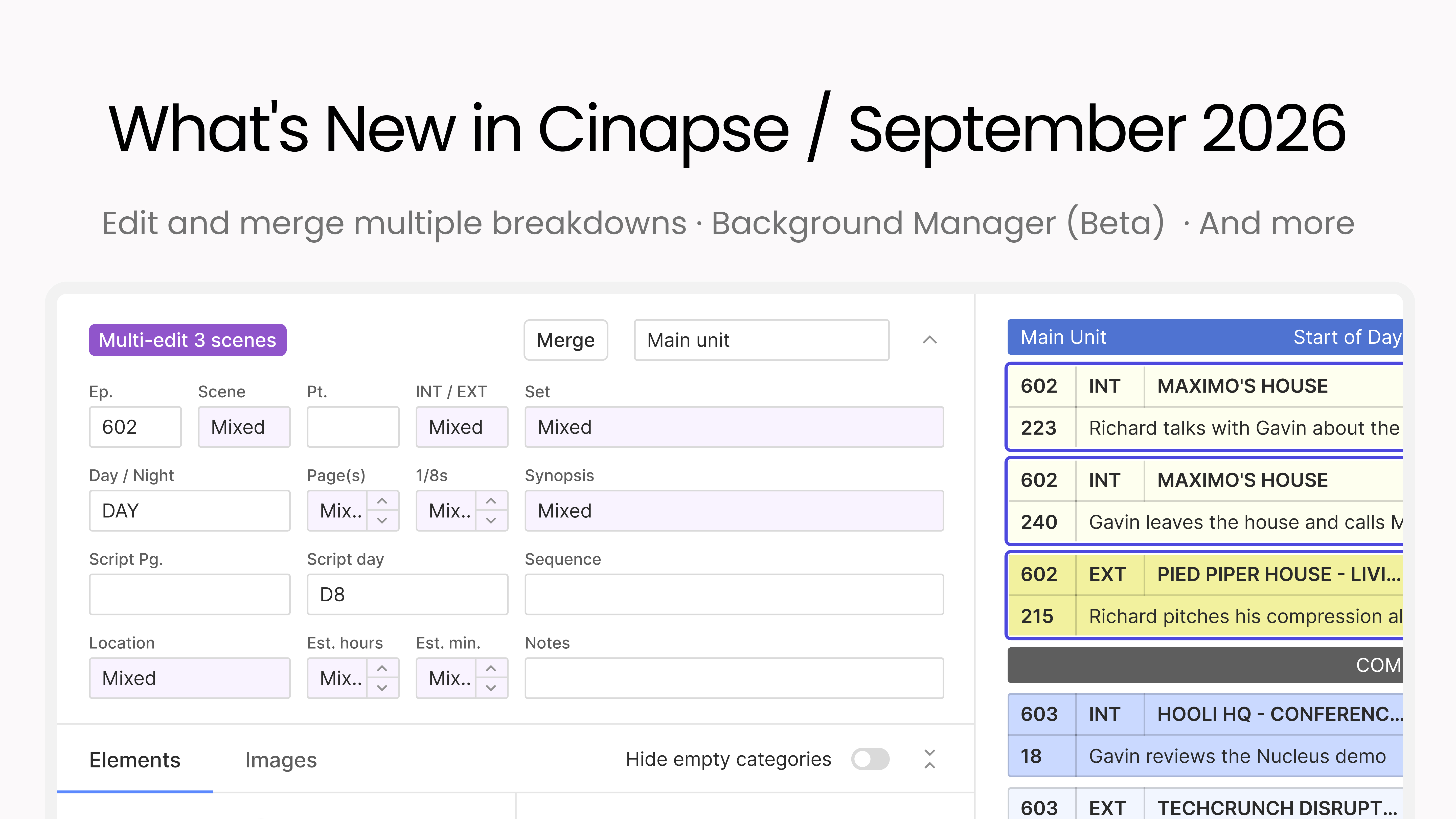
The same changes often apply to a group of scenes: a location that got renamed, a cast member who joins for an episode, a category that needs cleaning up. Making that change one breakdown at a time is slow and easy to get wrong. Multi-edit lets you change scene elements across multiple breakdowns at once instead of editing them one at a time.
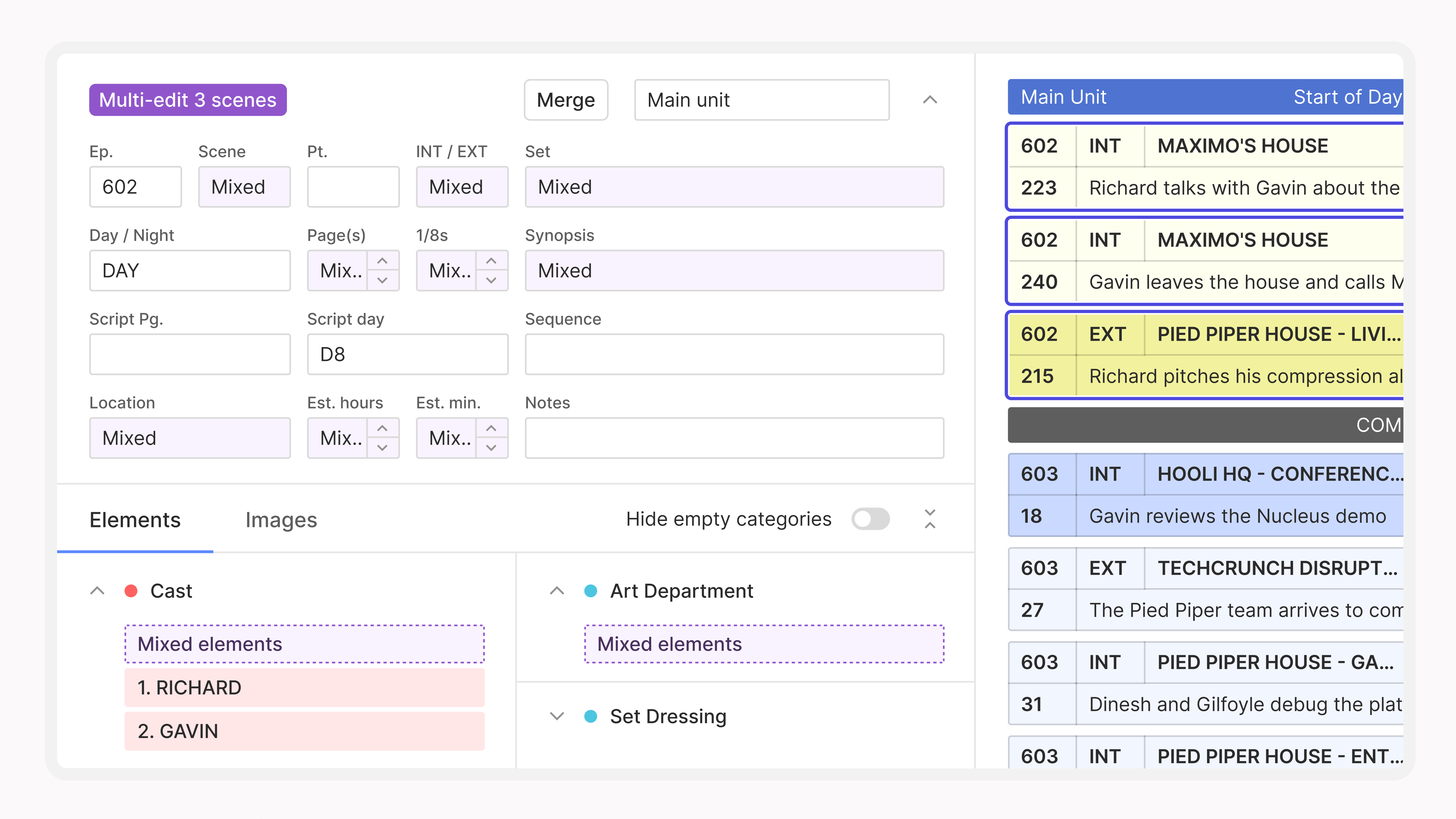
Just select the breakdowns you want to edit and make the change once, and it applies everywhere you selected. You can still use bulk copy-and-paste, but Multi-edit is designed to speed things up when the same elements appear across multiple breakdowns. Find it on the breakdown.
Schedules change. Scenes get consolidated because of rewrites, or because two setups are really shooting as one, and until now that meant rebuilding a breakdown by hand and re-entering every element. Now you can merge two or more breakdowns into one, combining their scenes and elements without having to manually build a new breakdown from scratch.
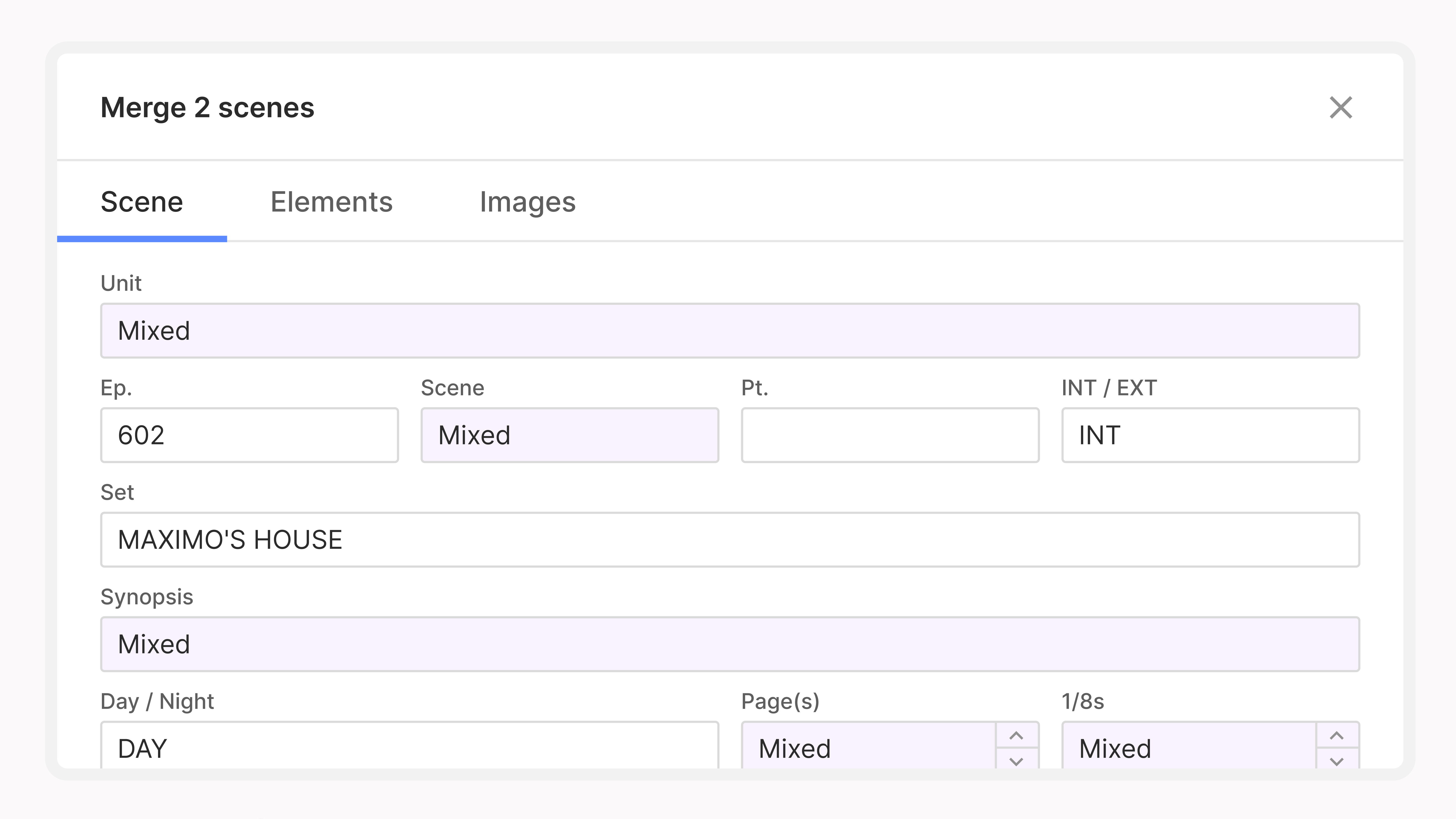
Nothing gets left behind in the move: the elements from each breakdown carry across into the merged sheet. Find it on the breakdown.
Reorganizing a board often means moving a whole group of strips at once, whether you are clearing an unscheduled section, shifting a day, or emptying the scrapyard. Dragging them can be tedious.
Command-A now selects every strip in the unscheduled section, the stripboard, or the scrapyard, so you can move strips around in bulk even faster.
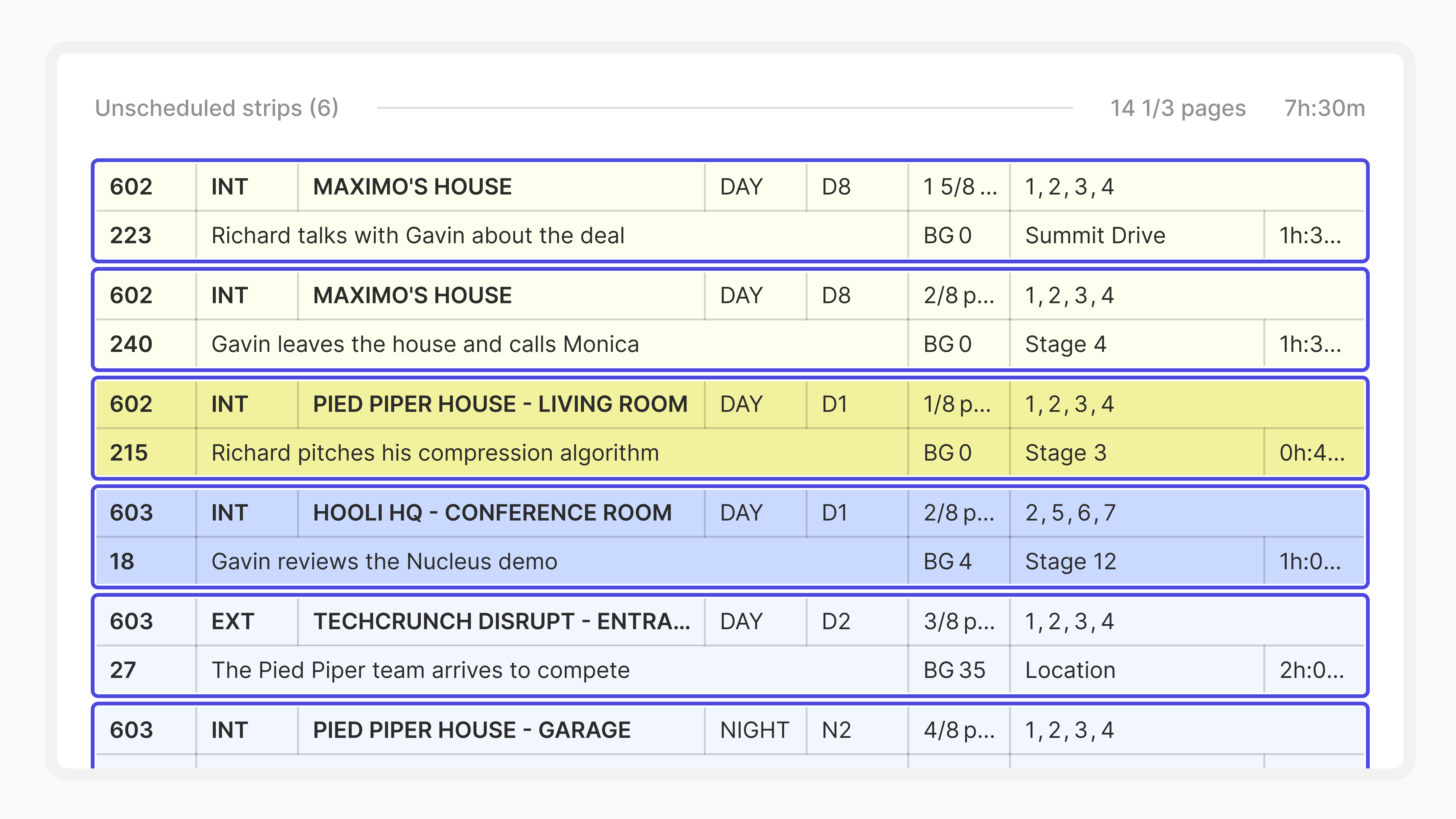
It works in the managers, too: e.g. Command-A to select all your stripboards in the Stripboard Manager, then right-click to move them into a folder directly. It behaves the way select-all should in whichever section you are working in.
On a busy DOOD, every performer's pattern is a wall of small codes, and reading one person's work, hold, and conflict days means scanning column by column.
Your Day Out of Days is now easier to read and customize. Color-coding makes work days, holds, and conflicts stand out at a glance, while unscheduled elements are now hidden by default for a cleaner starting point.
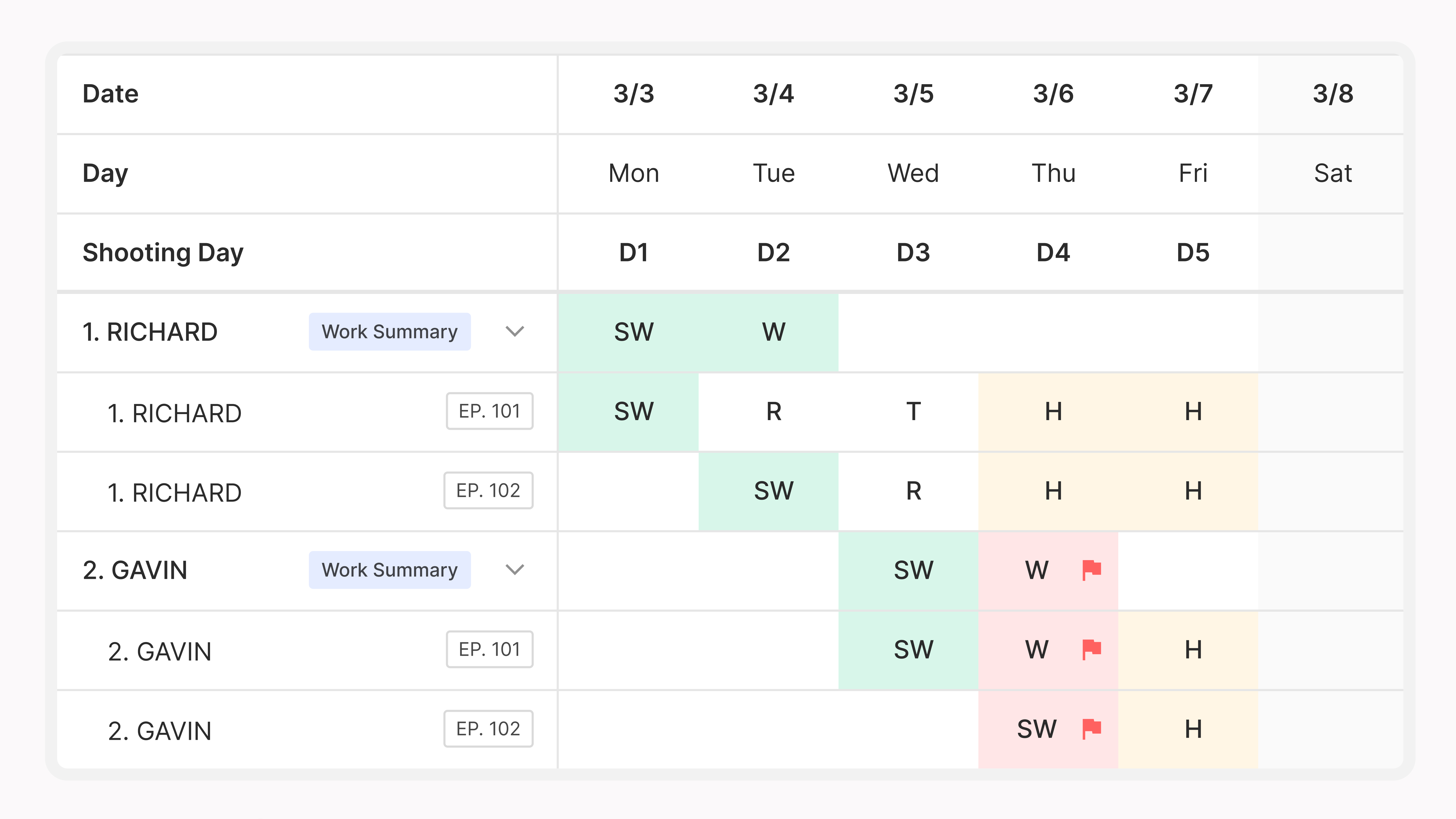
You can also include every element from a selected category, such as every cast member, even if they haven't been scheduled yet, and turn color-coding on or off to fit your workflow. Find it in the Day out of Days view or in the Reports Manager under Day Out of Days > Visibility options.
Time formats are personal: some ADs live in 24-hour, others in 12-hour, and switching back and forth is friction you shouldn't have to think about. You can now choose a 12-hour or 24-hour time display that carries across Cinapse.
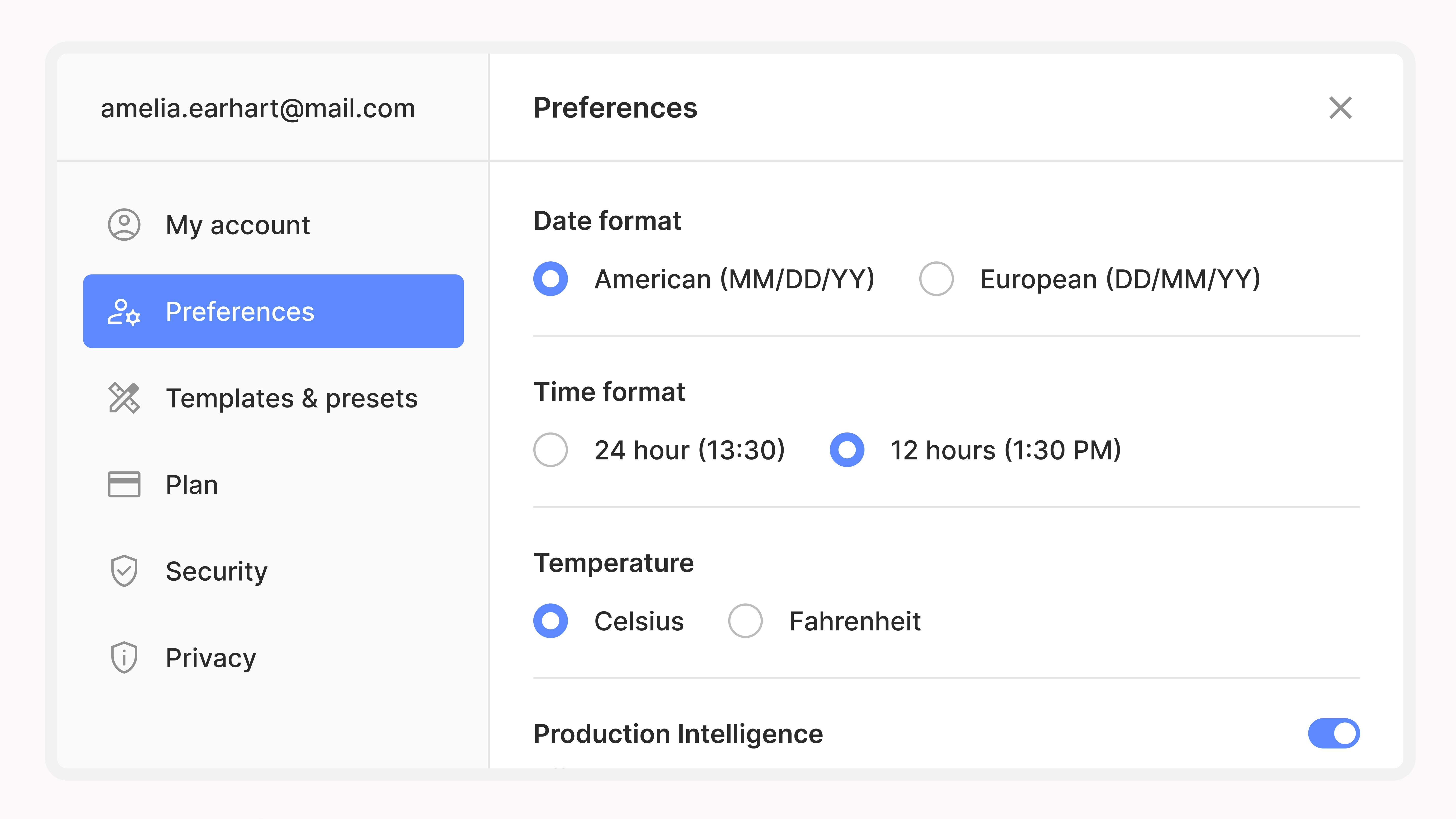
Set it once in your preferences and it applies everywhere, from banners to reports, just for you.
Background actor management has historically lived in spreadsheets and side documents, even though headcounts and background costs are an important part of both the schedule and the budget. This release brings it into Cinapse.
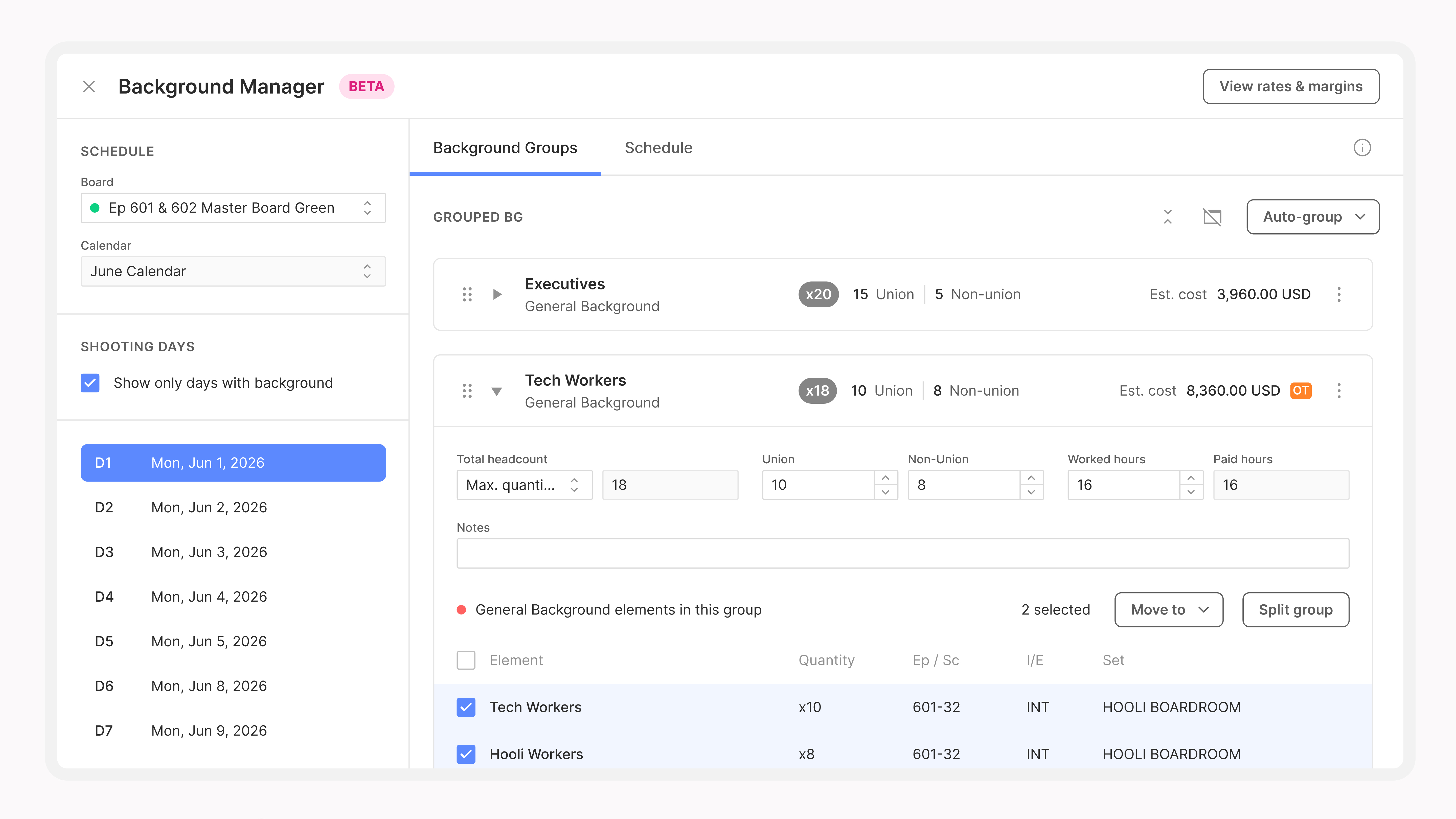
Group your background performers, track headcounts by scene and shooting day, and build background budgets for union, non-union, or both. Set custom rates for your region, or use Cinapse’s built-in rates for Los Angeles, New York/New Jersey, Vancouver, Toronto, London, and outside London.
Background Manager is rolling out in beta first. If you’re a Key 2nd AD on a Cinapse Studio subscription, you’re eligible to join the beta program. Email support@cinapse.io to participate.
Script-order navigation. Navigate through scene breakdowns in script order or schedule order right from the breakdown toolbar.
Download reports from the Reports Manager. Grab a report without opening it first.
One-liner header board toggle. Control whether the header board prints on your one-liner.
Vertical text alignment. Align cell text to the top, middle, or bottom for cleaner boards.
Bug fixes & stability. We shipped a range of fixes across scheduling, reports, and imports.
It's all live. Log in and take a look. If you run into anything or have feedback, reach us at support@cinapse.io.