On September 26, the Directors Guild of America 1st AD Committee invited Cinapse and fellow production scheduling software companies to present to Assistant Directors, both in person at the DGA Headquarters in Los Angeles and virtually.
It was an honor to demo Cinapse for you all. Thank you to the committee for hosting us and to everyone who joined, asked thoughtful questions, and shared feedback!
We're proud to support DGA ADs, and your feedback continues to shape how we build Cinapse, particularly for the complex demands of multi-unit, crossboarded episodic productions.
Missed the session? Book a personal demo of Cinapse with our team.
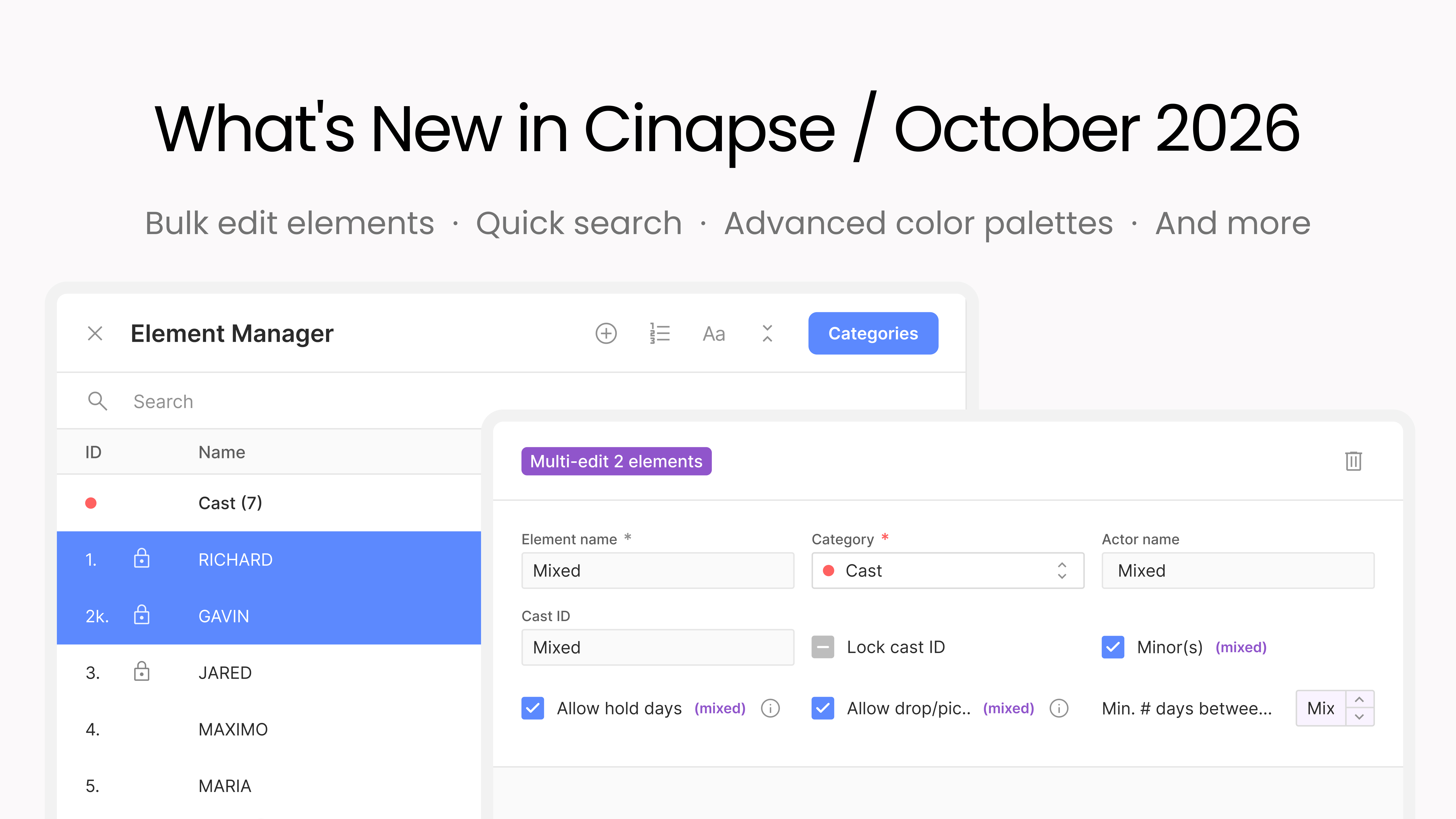
Prep is full of changes that hit many elements at once: a block of cast goes on hold, a group of day players gets drop/pickup dates. Until now that meant opening each element one by one. In the Element Manager, select multiple elements in any category and edit their shared fields together.
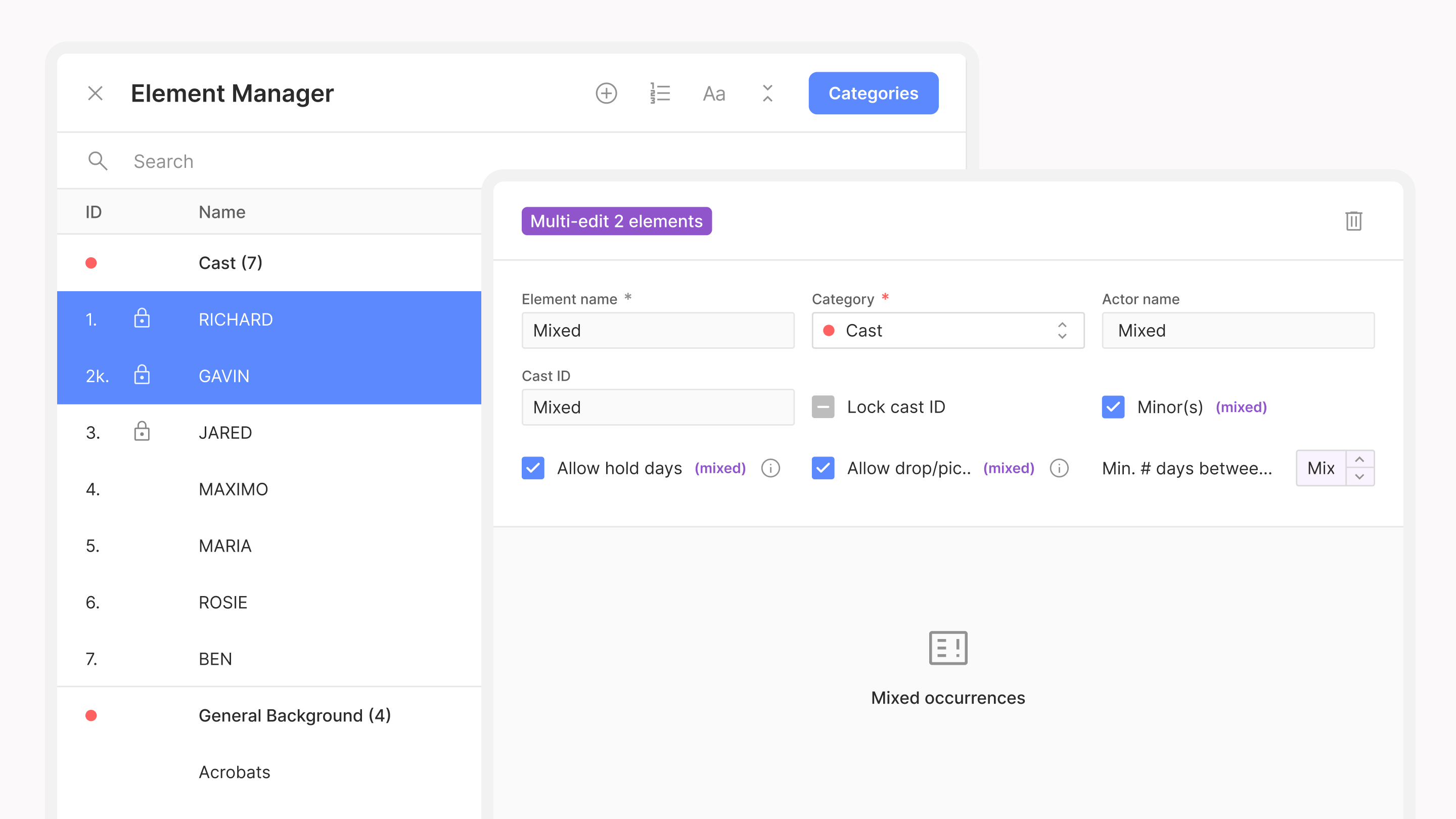
Fields that differ across your selection show as Mixed, so nothing gets overwritten unless you change it. Multi-edit on the breakdown changes which elements are in your scenes; bulk edit in the Element Manager changes the elements themselves.
Breakdowns are better when the people who own each department fill them in, but until now that meant giving crew edit access to the whole schedule or retyping their notes yourself. Now, on Studio and Enterprise plans, you can give users edit access to only the breakdown categories they manage.
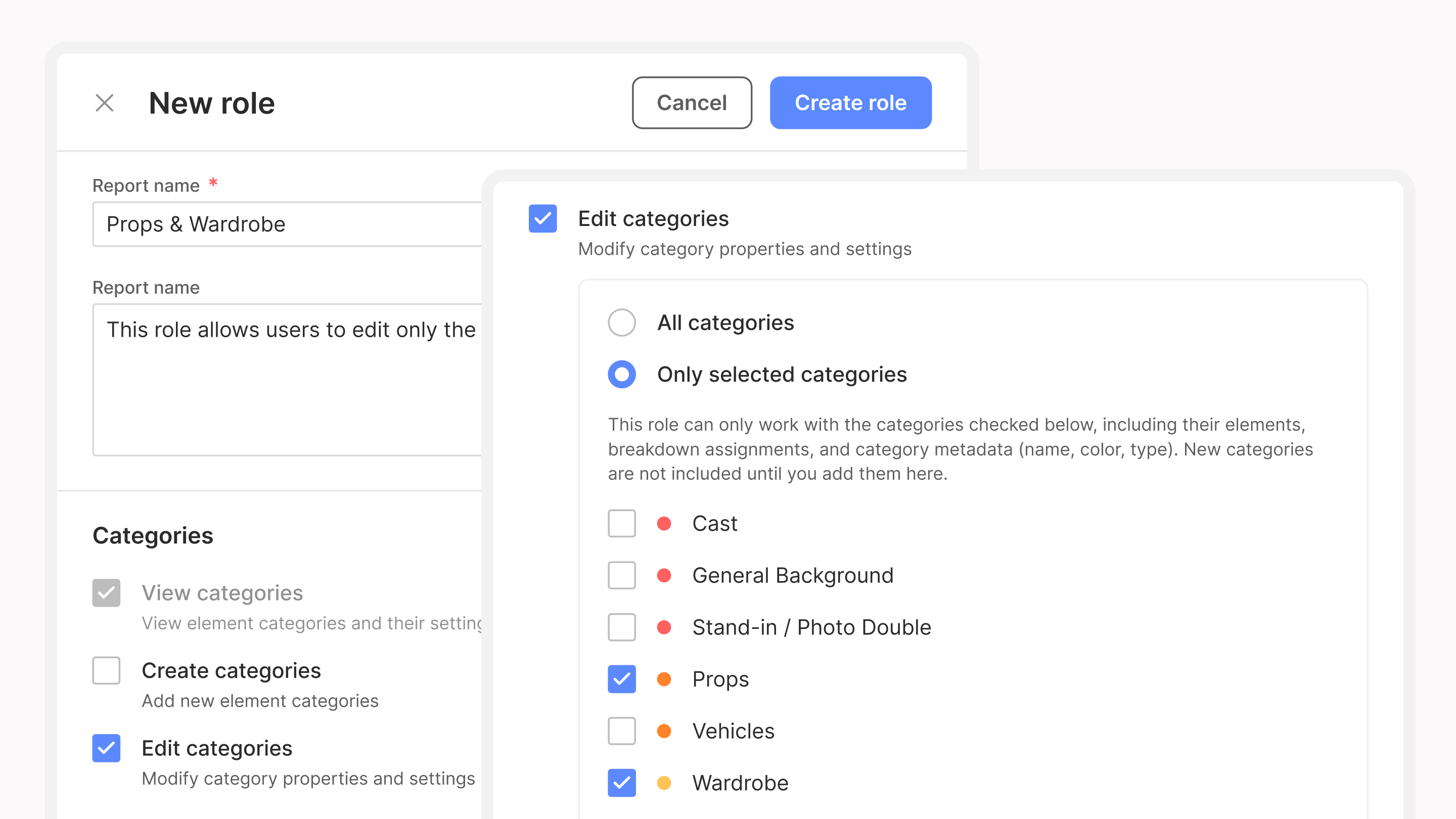
In the Roles Manager, enable Edit Categories, select Only Selected Categories, and choose which categories each role can edit, such as Props or Wardrobe. Users with that role can edit elements in their assigned categories, assign them to breakdowns, and update category settings, while permissions to create or delete categories are managed separately. Department heads contribute directly to the breakdown sheets, and you keep control over everything else.
Episodic schedules need to read at a glance.
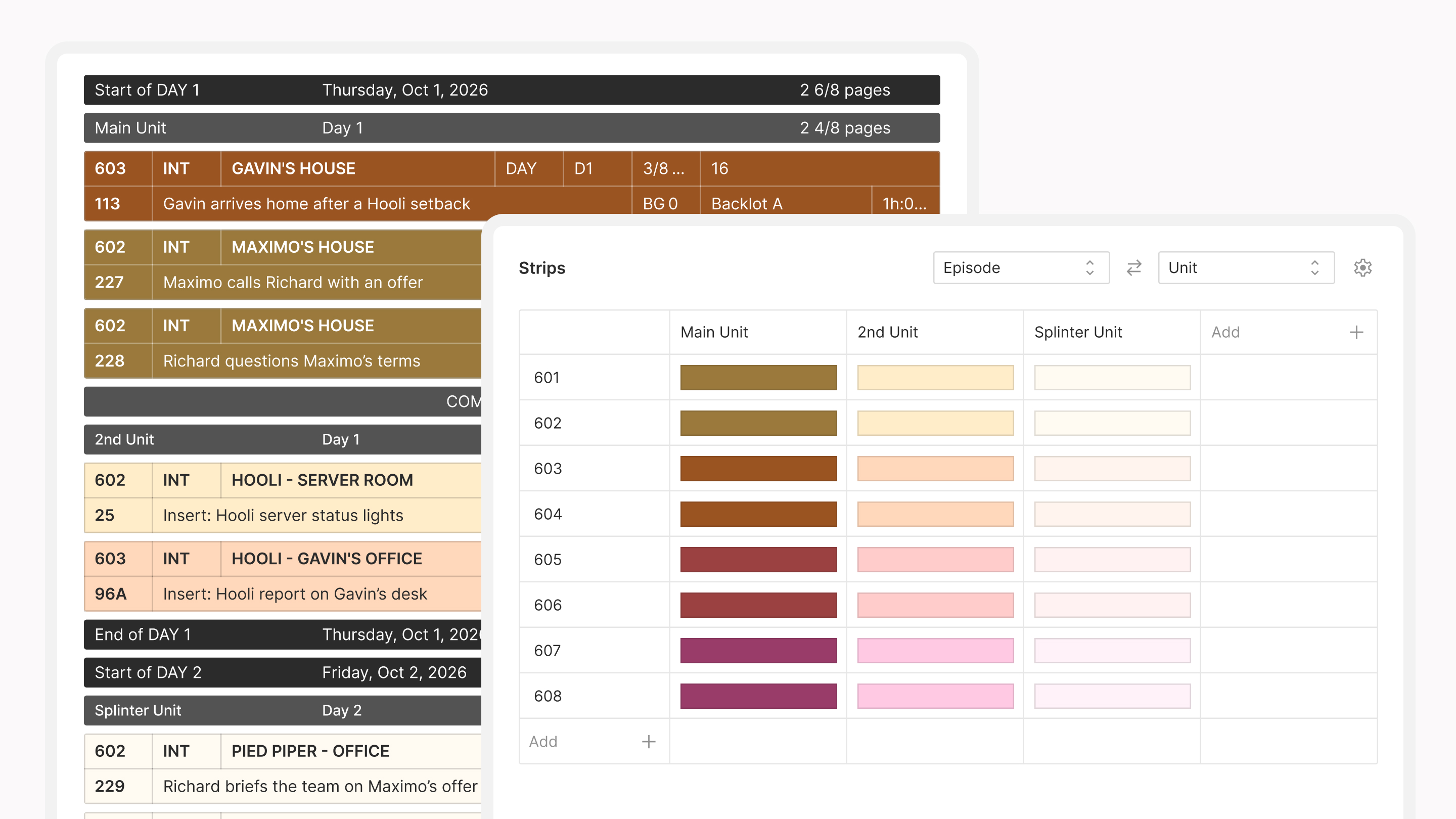
Color palettes now work on two axes: choose the two settings that drive your strip colors, like unit and episode, and set a color for every combination, so Episode 3 on 2nd Unit looks different from Episode 3 on Main Unit. Find it in the Colors Manager.
On a multi-unit show, coloring every day break and banner by hand doesn't scale. Now you set banner colors by unit, separately from your strip colors: Main Unit day breaks one color, 2nd Unit day breaks another, and the same for start of day banners, unit breaks, and text banners, with a default set for when no unit is selected.
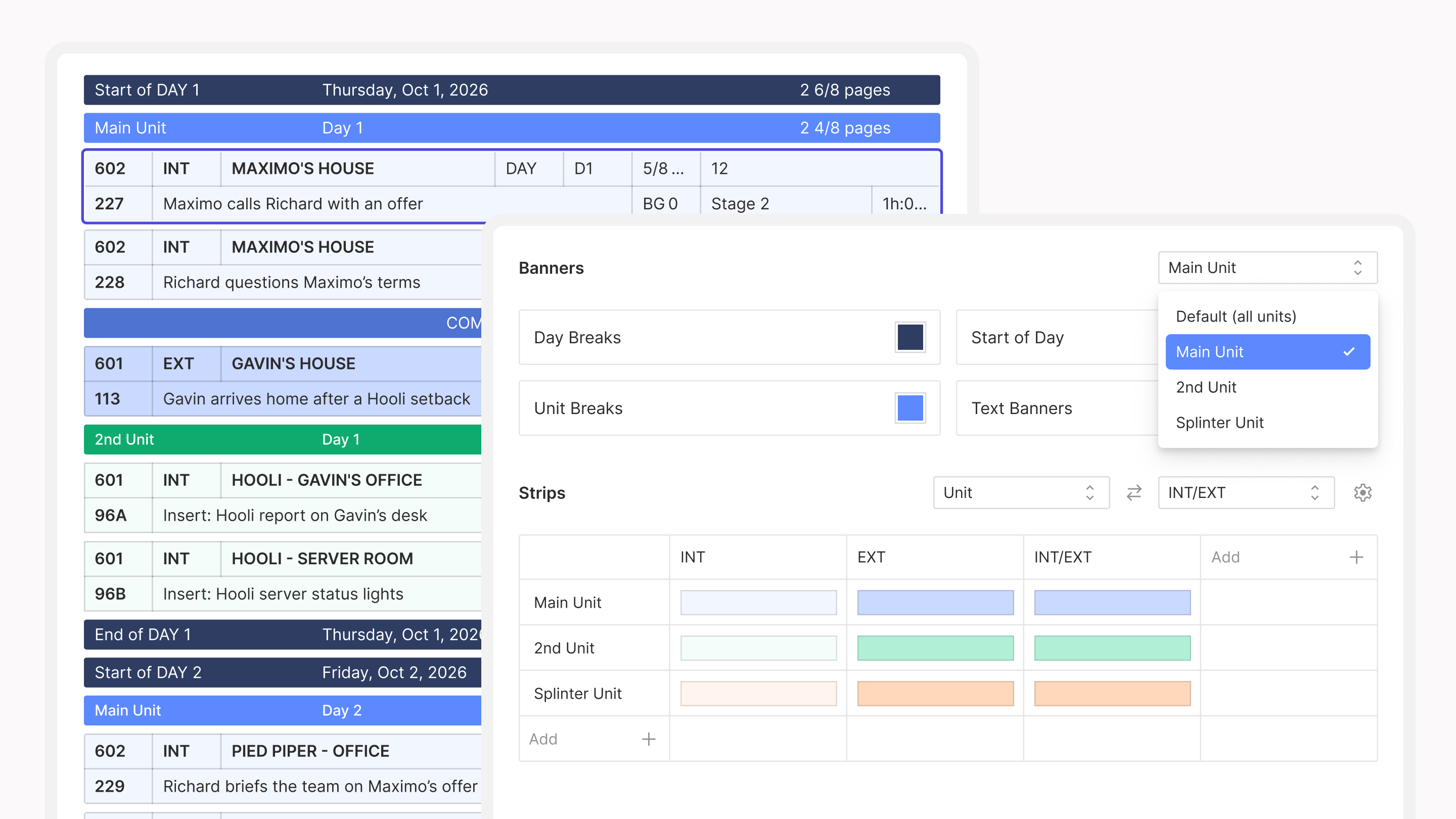
Banners pick up their unit's colors automatically. You can still change any individual banner on the stripboard, and Reset to default colors returns it to its unit's default, or to the general default if it has no unit. Find it in the Colors Manager.
On a 60-day schedule, finding one scene by scrolling is a waste of time, especially when the director asks about "the diner scene" and you don't remember the number. Search used to open as advanced search, which is powerful but more than you need when you just want to find a strip.
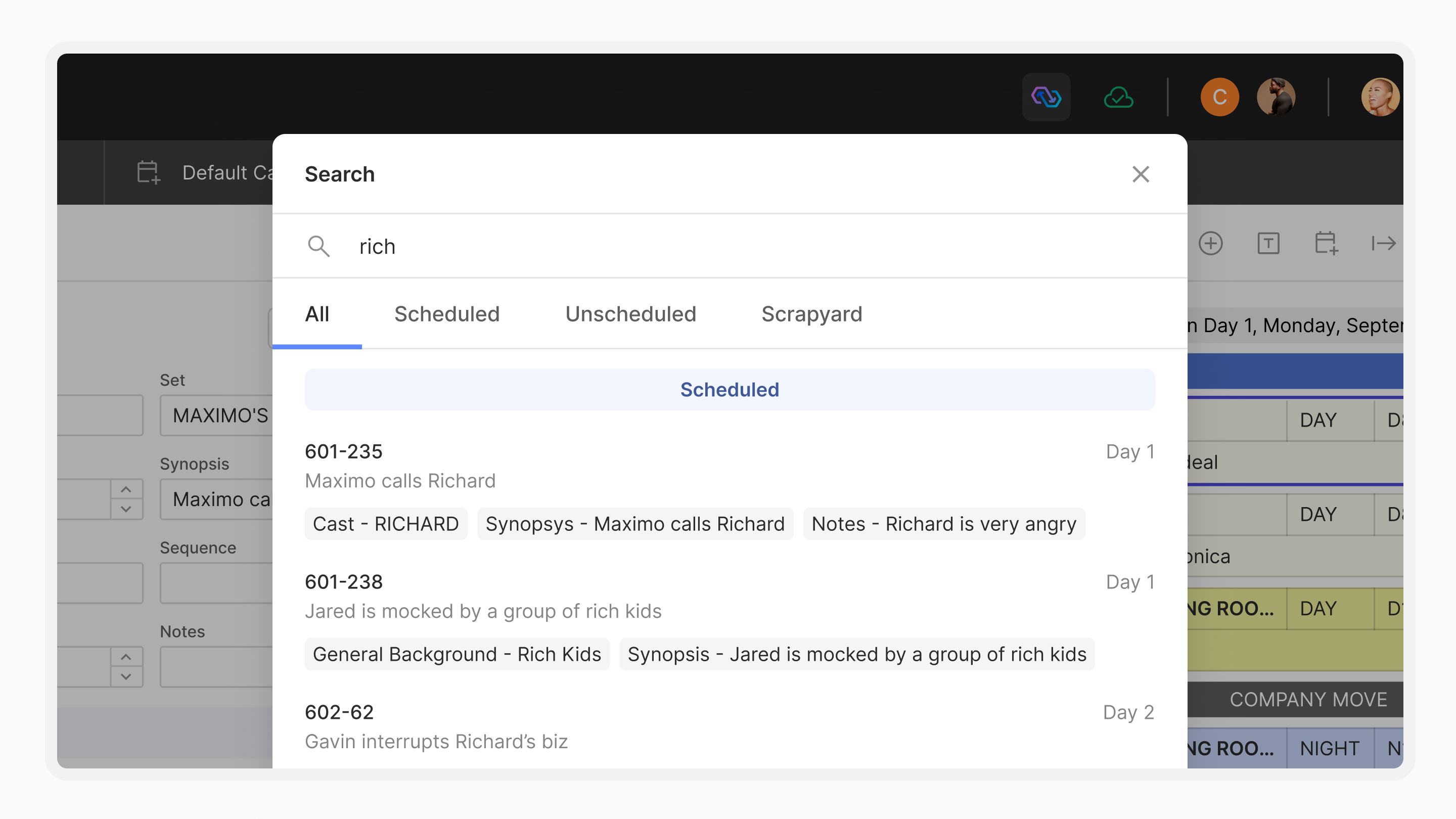
Now quick search is on by default: press Command-K or click into the search bar, start typing, and it finds strips as you type, searching every element in every category plus synopses, notes, comments, and script pages, and tolerating partial or misspelled terms. Search the selected board's stripboard, unscheduled section, or scrapyard, or all three at once. Advanced search is still available when you need it. Click a result to jump to it.
Most productions have one board you open every morning. In the Stripboard Manager, right-click that board and choose Pin board, and it becomes your default whenever you open the production.
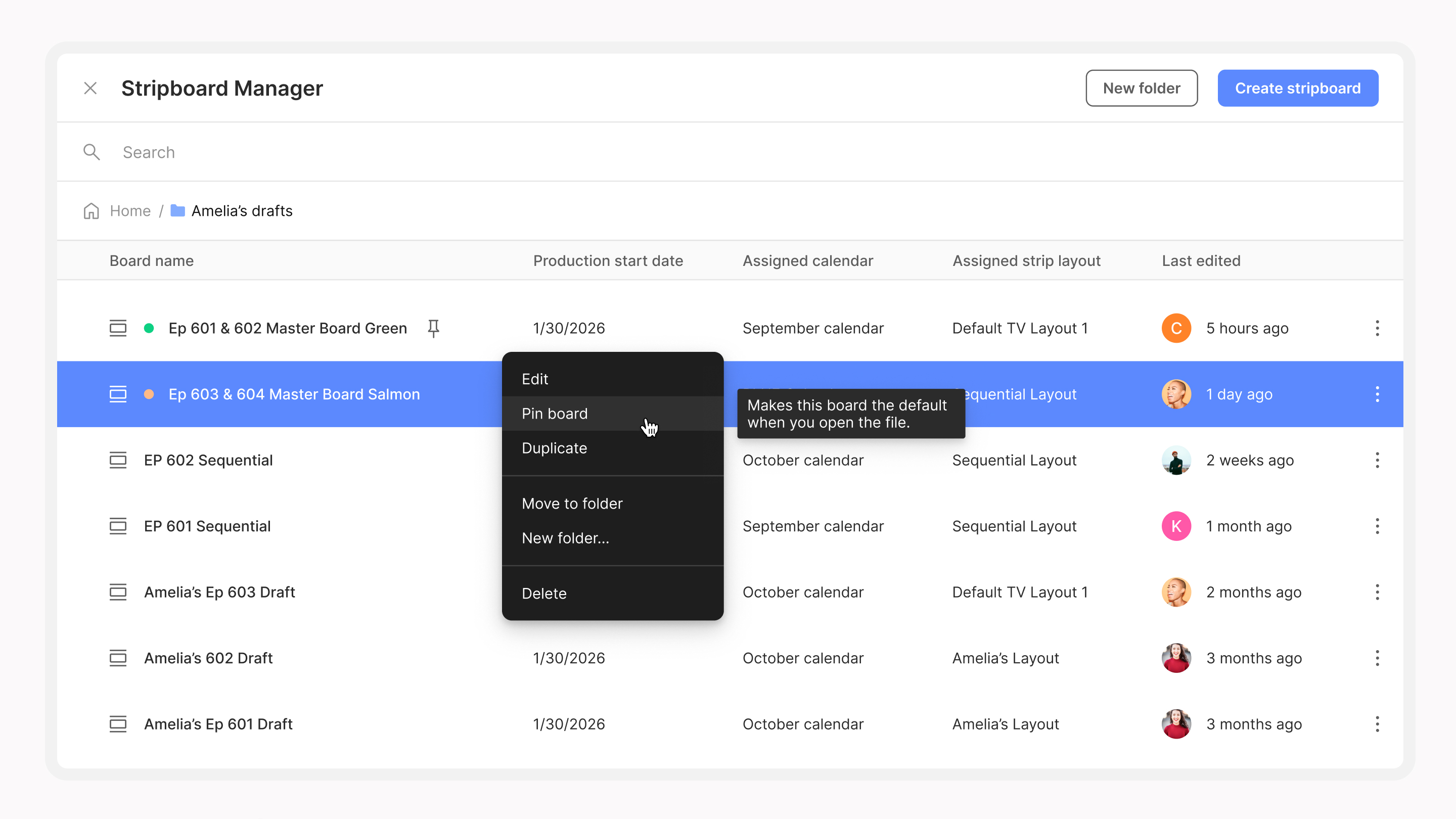
Pins are personal. Each person can pin one stripboard per schedule, and pinning doesn't change what anyone else sees.
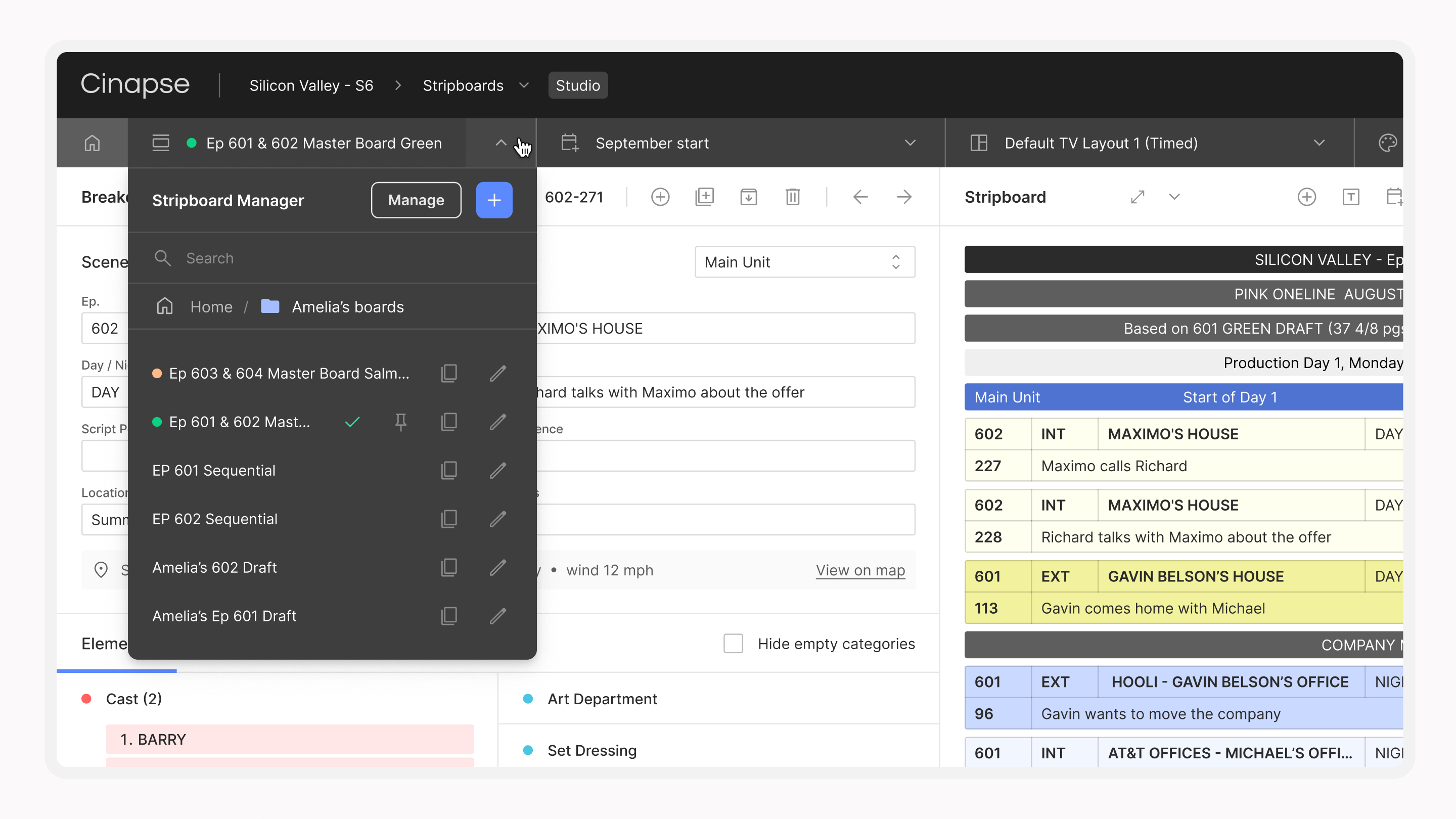
Moving between your boards, calendars, layouts, and colors should take one click, not three. Now you can click a manager to go straight to it, or click its dropdown to switch your board, calendar, layout, or colors right from there, just like before. When you're done, the new Home button takes you back to the breakdown sheet and stripboard view.
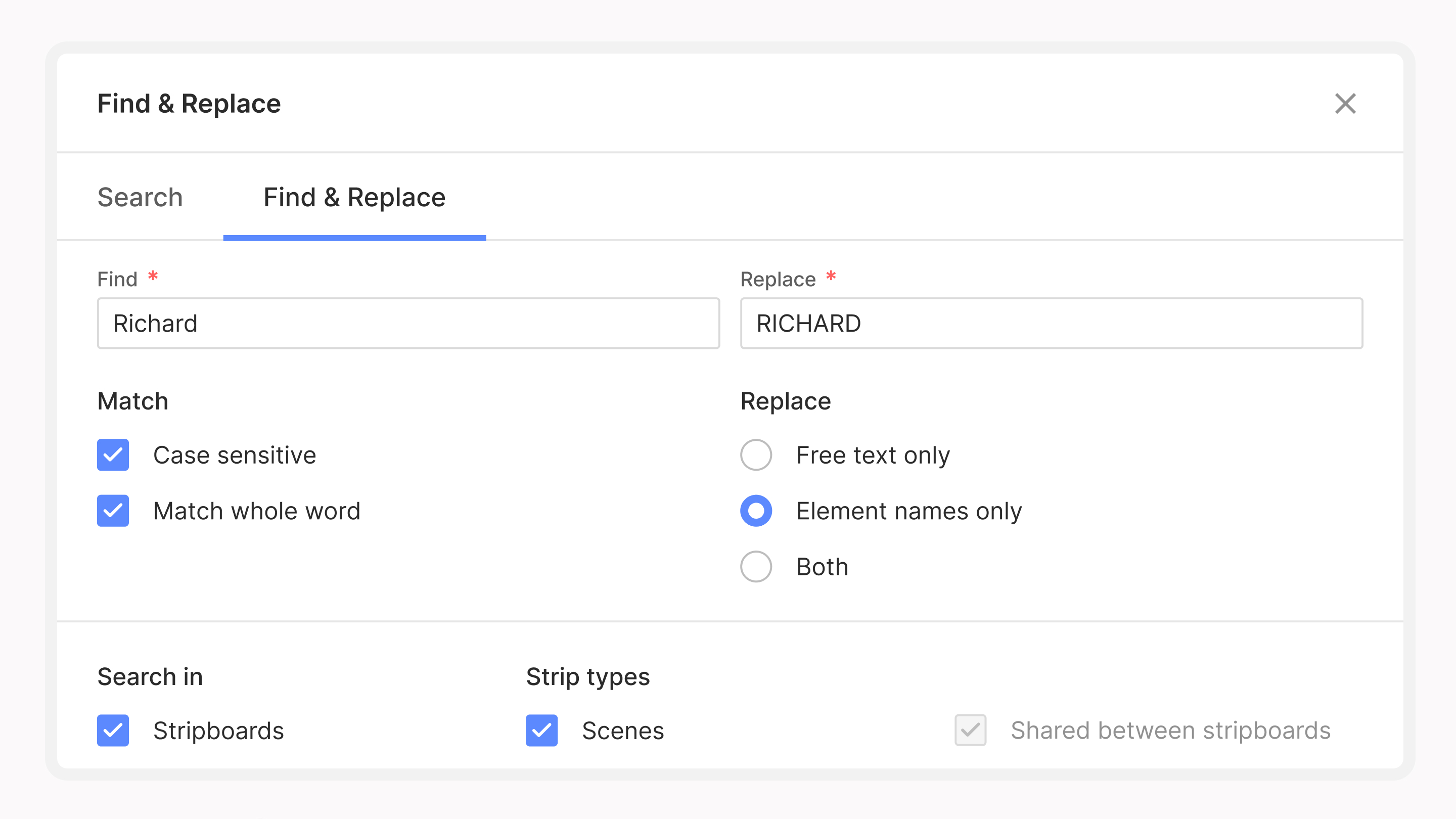
Names change in prep. A character gets renamed in the new draft, a prop gets a real name. Find & Replace now renames the element itself as well as the text, so one replace updates every breakdown that uses it. Before anything changes, Cinapse shows how many breakdowns and elements are affected.
When a show wraps, its data doesn't need to live on your computer anymore. Archive a wrapped production and Cinapse stops storing its data locally, freeing up space for the productions you're actively working on.
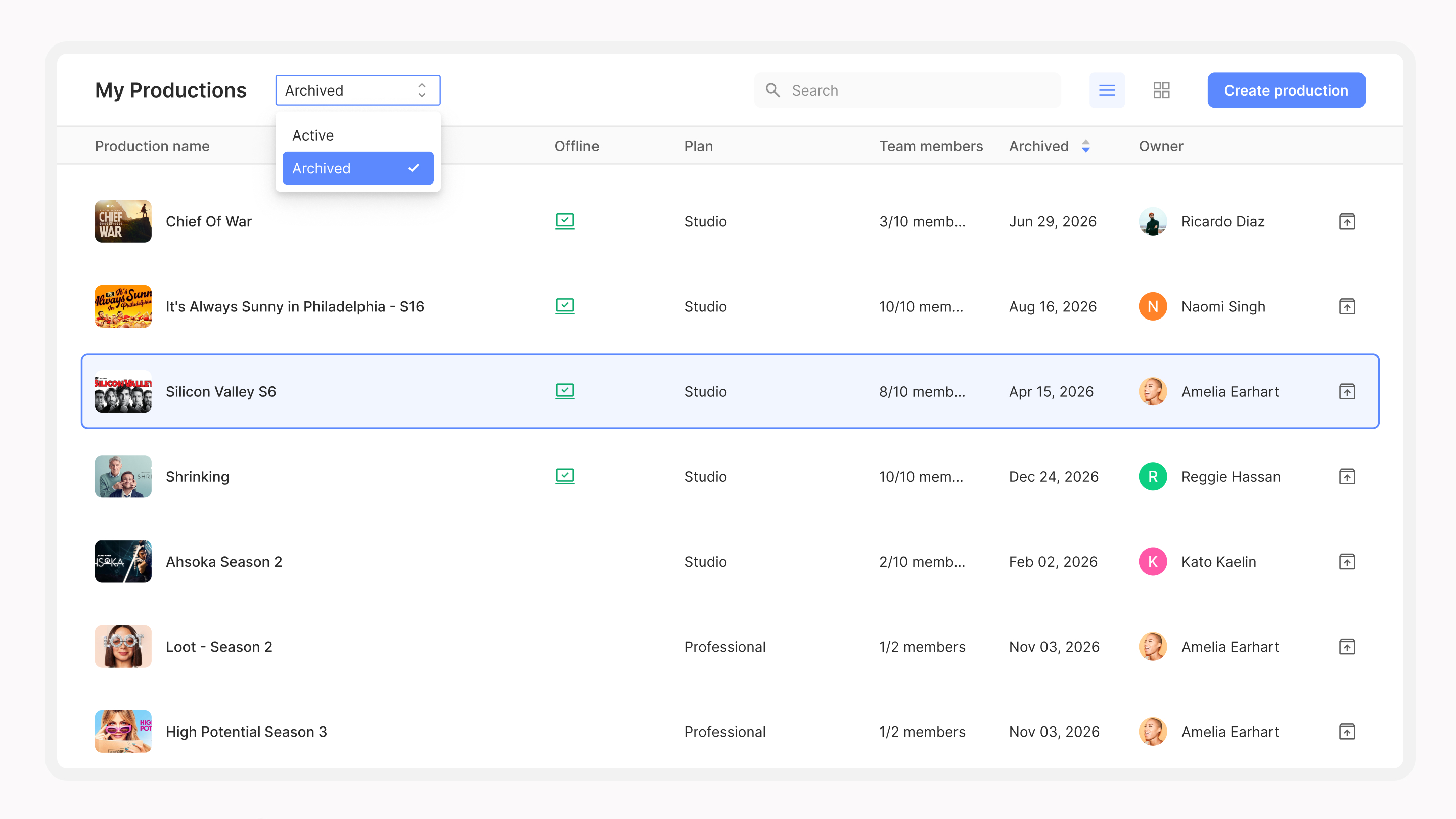
It stays listed in My Productions, one filter away: filter by Active or Archived, search across both, and restore any archived production from its row to bring its data back to your machine.
Arrow-key navigation. Use the up and down arrow keys to move through the stripboard, unscheduled section, or scrapyard. Hold Shift to select a range, and press Enter to add or remove a strip from your selection. Arrows follow your Script order or Schedule order setting.
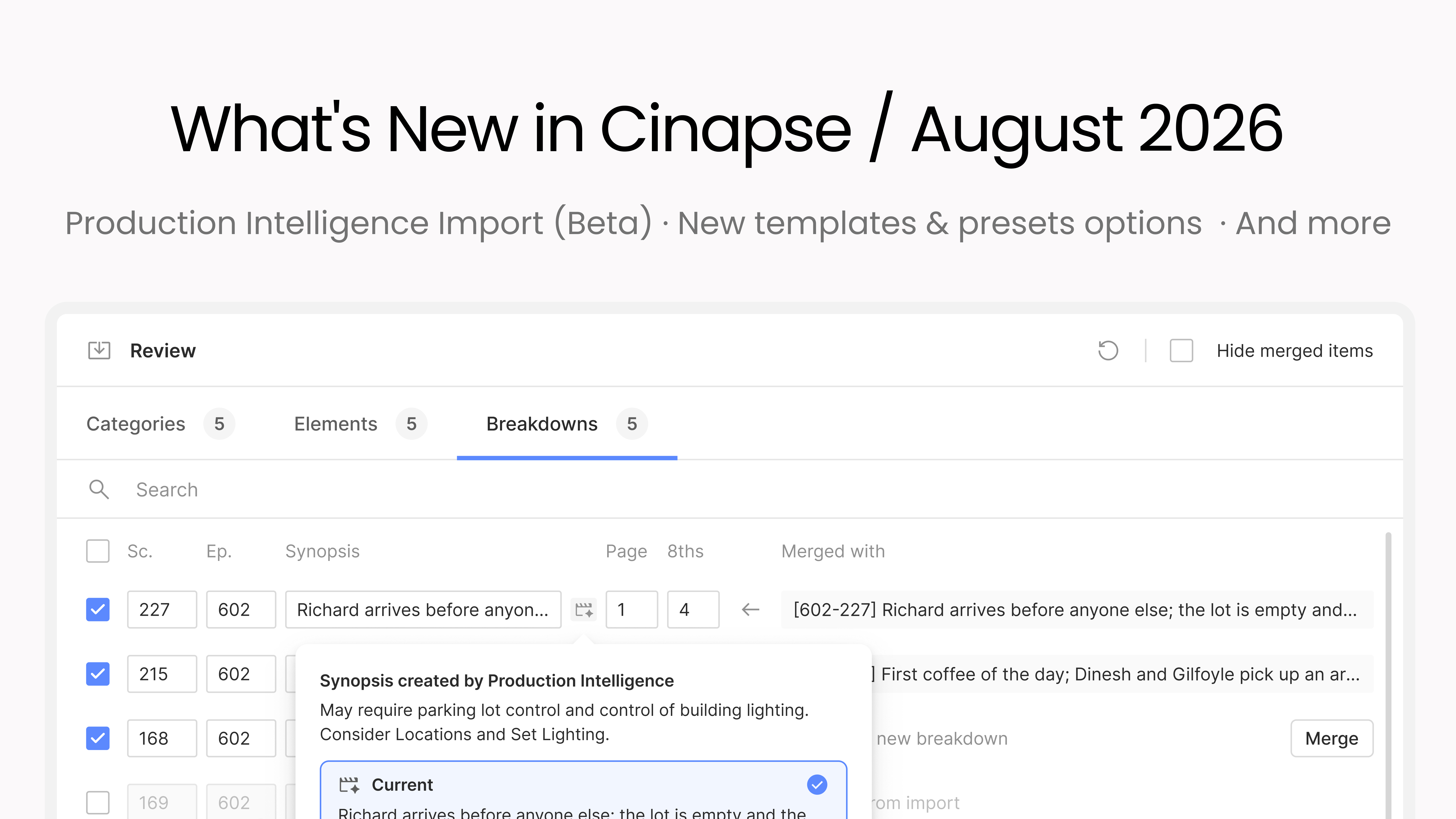
Production Intelligence for existing productions (beta). Run Production Intelligence on scenes you import into an existing production, like script revisions or a brand new script, with progress you can cancel any time.
Unscheduled strips in reports. When you create a report from selected strips, the report form now includes your unscheduled strips too.
Vertical alignment, now in PDFs. The top, middle, and bottom cell alignment you set on your board now carries through to printed and PDF stripboards.
Smoother imports. When you import a Cinapse file into an existing production, you now choose whether to keep your current layouts, color palettes, and banner colors or use the incoming ones.
Bug fixes & stability. More reliable syncing when you're working offline. Fixed an issue where the Day Out of Days date range could get stuck showing a single day until you set it manually. It now updates automatically to match the date range of the stripboard you're viewing. You can now build a Day Out of Days by Set, Sequence, Script Day, Unit, Location, INT/EXT, or DAY/NIGHT. Plus: Movie Magic imports bring in script day as an element, episode filters on existing reports carry over cleanly, viewer invites count toward your viewer seats correctly, and creating a new element from the element picker is smoother.
Call Sheet Commander now imports Cinapse workspaces. Export your .cinapse file, drop it in, and it builds a call sheet for every day of your show in about 10 seconds. Cinapse users get 30 days of Pro free at callsheetcommander.com/cinapse.
Ross Novie, the DGA Director and 1st AD who built it, is running a free live walkthrough for 2nd ADs on Saturday, November 7 at 10 AM Pacific. Sign up for the walkthrough.
Get early access to new features while they're still in development. As a beta user, you'll be among the first to try new functionality and help shape it with your feedback before it's released to everyone. You can switch back to the regular app at any time.
Interested in joining? Email us at support@cinapse.io
Log in and take a look. If you run into anything or have feedback, reach us at support@cinapse.io.